Requesting server-side tracking with Upyour.io
Before you continue with this article, make sure that you have the server IP beforehand.
Step 1 Setup data.domain.com and data-preview.domain.com in your DNS. Point them to the server IP.
Step 2 Configure Google (see Setup configuration key) and gather the configuration key.
Step 3 Send a request to support@yourwebhoster.eu with the domain and configuration key.
Step 4 Support will confirm the creation
Validate the application
To validate the deployment of your application, you can open https://data.domain.com/healthz in your browser. Replace data.domain.com with your domain. In our example, it would be tracking.upyour.io
What is the purpose of data-preview.domain.com?
This domain is used for internal communication and preview tracking purposes. In general, you will not find this URL in your browser.
Setup configuration key with Google for Server Side Tagging
Step 1 Open Google Tag Manager.
Step 2 Inside your account box, click on  and click on Create container.
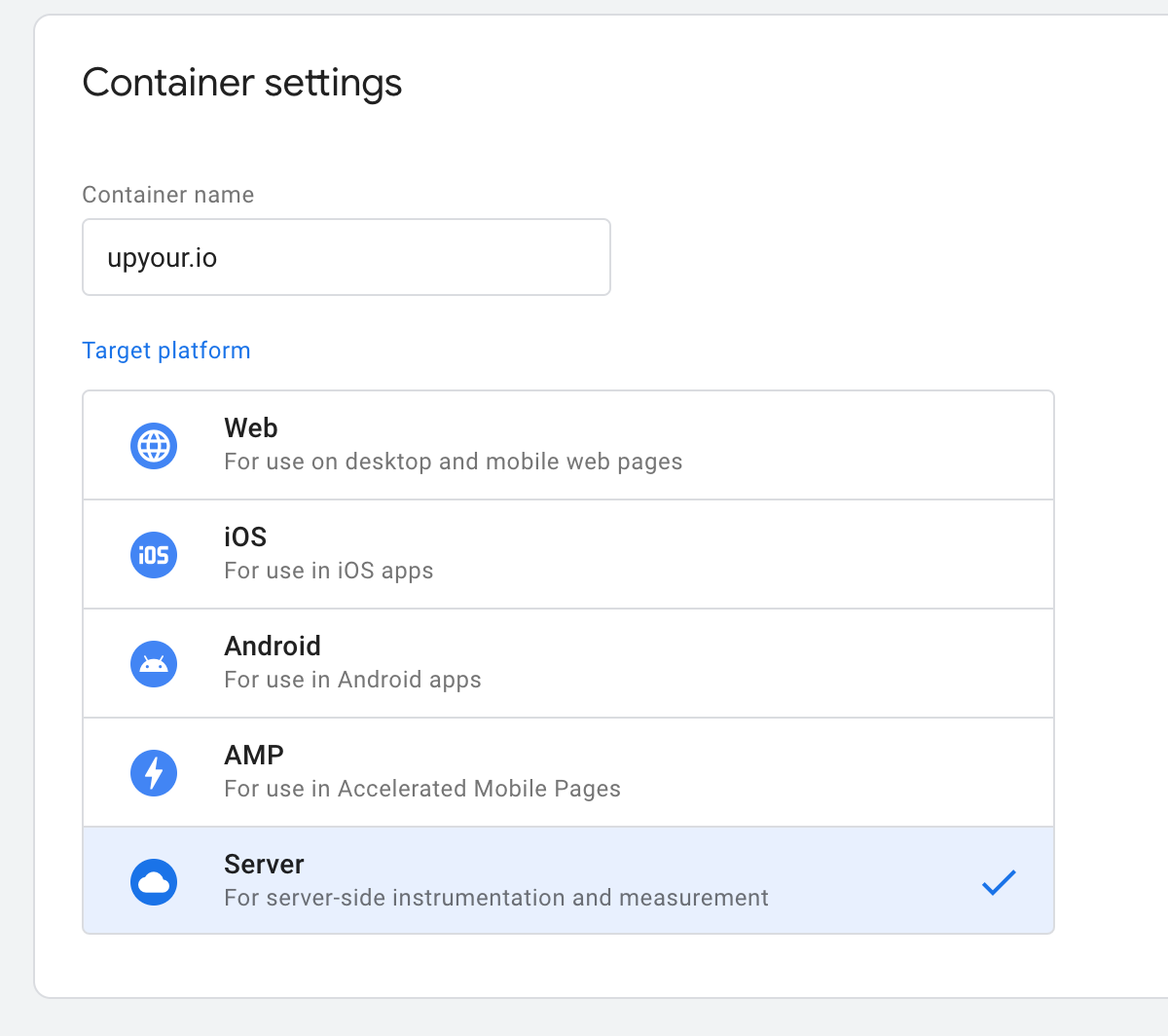
Step 3 Enter the container name and select server. Click create.
Instructions continue below the image.
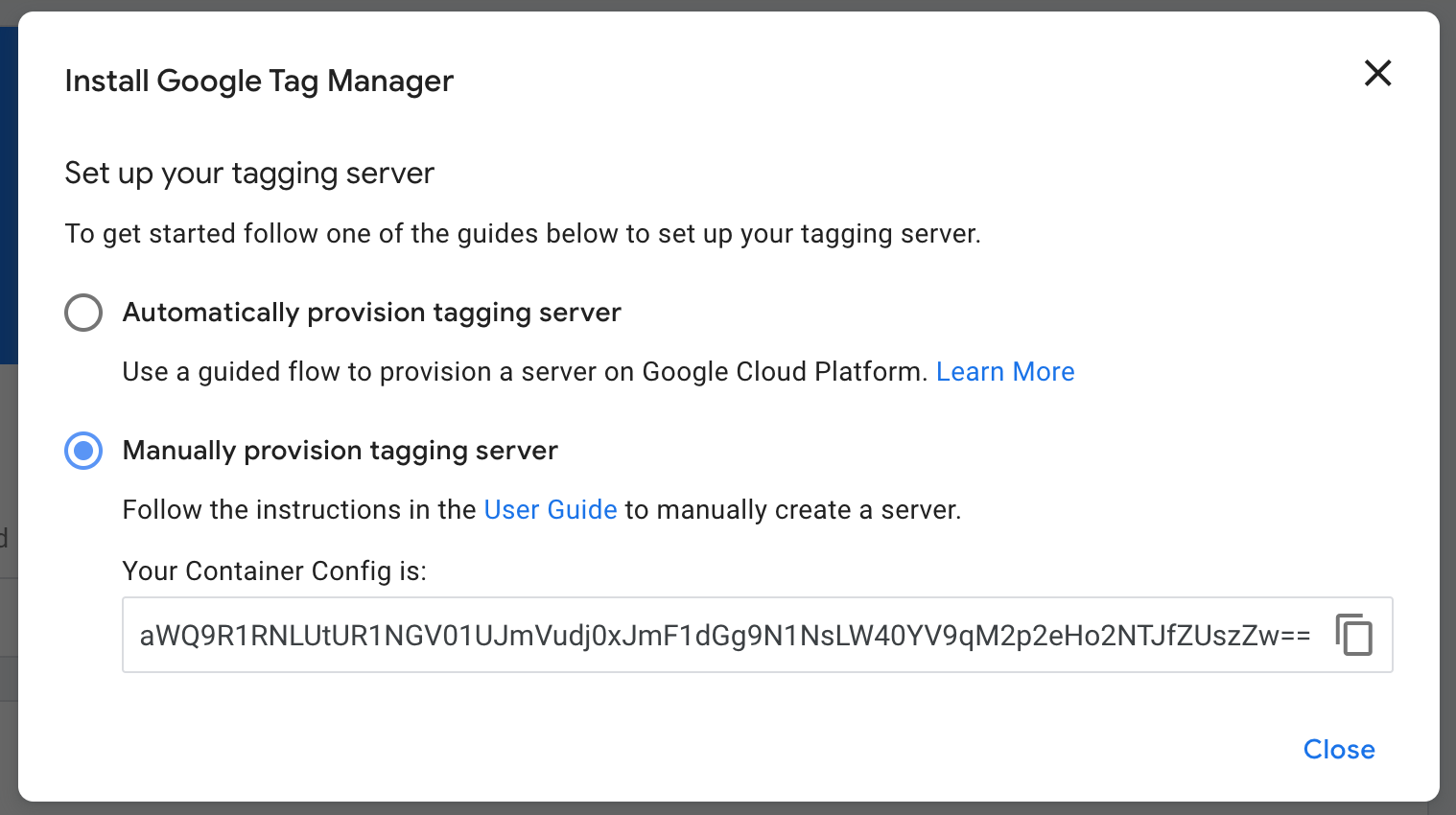
Step 4 Select the Manually provision tagging server option and copy the container config.
Instructions continue below the image.
Step 5 Navigate to Admin -> Container Settings and click Add URL. Enter here you tracking domain, e.g. https://data.upyour.io, and click on save.
How does Server-side tagging work?
Conventional tracking requires the visitor’s browser to execute events and make a number of requests to external tracking solution. This consumes the visitor’s resources but also exposes the visitor’s IP to the trackers.
With Google server-side tracking, hosted in Europe by Upyour.io, events and interaction with third party scripts are executed on the server. The server can filter out privacy sensitive data and execute further tracking events.
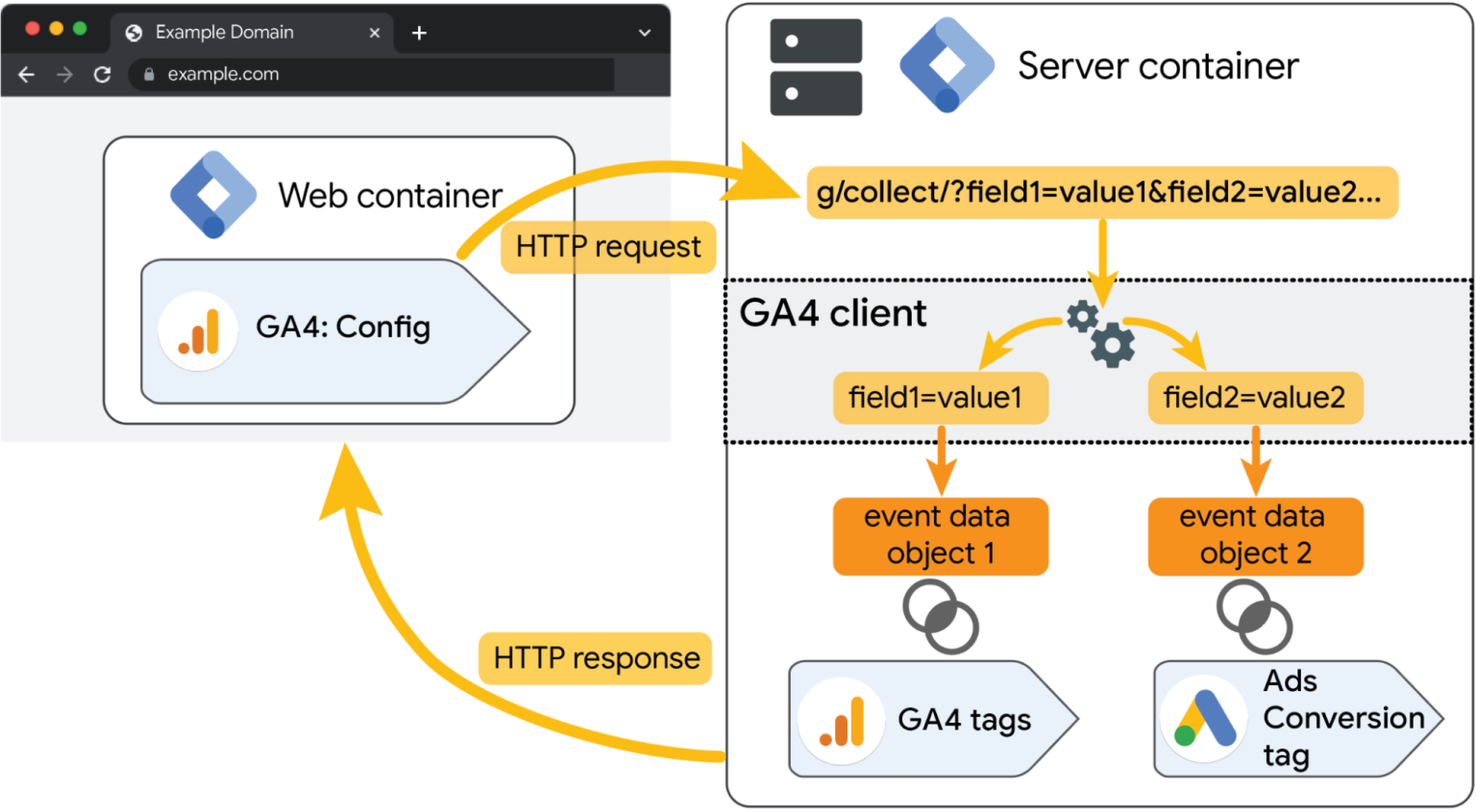
Source: Google
Conventional tracking requires the visitor’s browser to execute events and make a number of requests to external tracking solution. This consumes the visitor’s resources but also exposes the visitor’s IP to the trackers.
With Google server-side tracking, hosted in Europe by Upyour.io, events and interaction with third party scripts are executed on the server. The server can filter out privacy sensitive data and execute further tracking events.
You can learn about the server side tracking in Google’s documentation.
Was this article helpful?
That’s Great!
Thank you for your feedback
Sorry! We couldn't be helpful
Thank you for your feedback
Feedback sent
We appreciate your effort and will try to fix the article